Showing posts with label logitech. Show all posts

Wednesday, September 03, 2014

Logitech's New Keyboard Works With Multiple Cross-platform Devices At The Same Time

Logitech K480
Are you using the same Bluetooth keyboard across more than one device and getting tired of having to un-pair and re-pair it with each device every time you need to swap platforms? Well Logitech now has the answer!

The Logitech Bluetooth Multi-Device Keyboard K480 is designed to be used with up to three devices, regardless of computing platform, at the same time. Now, you can work on your Windows, Mac or Chrome OS based computer, switch the Easy-Switch dial, and instantly be able to respond to a message on your smartphone or tablet.


The full size keyboard measures 20 mm (0.79 inches) x 299 mm (11.77 inches) x 195 mm (7.68 inches) and weigh just 820 g (1.81 pounds). Offering you a full keyboard experience in a small portable package. For tablet and phone users there is also a docking cradle which can be used to hold your phone or tablet at a comfortable angle. For you fashionista geeks out there the Logitech Bluetooth Multi-Device Keyboard K480 comes in two colors, black with yellow highlights and white with grey highlights.

Logitech has priced the K480 Bluetooth keyboard at $49.99 which considering it an replace multiple keyboards at once seems pretty reasonable. The keyboard is expected to be made available in both US and Europe markets later this month September.

Sunday, July 31, 2011

Logitech Drops The Price Of The Revue To $99

Starting today the Logitech Revue with Google TV will be available for $99, down from its original release price of $299 and the recent price drop from $249.

"Sales of Logitech Revue were slightly negative during the quarter, as returns of the product were higher than the very modest sales," according to prepared remarks for yesterday's earnings call. Lowering the price, therefore, will "generate improved sales," Logitech said.

Logitech already dropped the price of the Revue from $299 in May, but that "had little impact on consumer acceptance," Logitech said. "Our enthusiasm for the promise of the Google TV platform has always been focused on the opportunity to develop another large installed base for our products over time. Up until now, the installed base has remained relatively small."

In a recently blog post the company said it hopes that the $99 price point will remove price as a barrier for buyers. "We expect the lower price, particularly when combined with the upcoming enhancements to the Google TV platform, including the availability of an apps marketplace, should provide the consumer with a compelling value proposition."

Revue users will also automatically receive a software update built on Android 3.1. Among other benefits, V2 will offer a simplified user experience and access to many more apps, made possible by the booming Android Market.

Wednesday, October 13, 2010

Google TV Now Taking Over Televisions Near You

Late last week Logitech became the first company to officially announce a Google TV device when they introduced the world to the $300 Logitech Revue. This week Sony is following suite with the introduction of several new Google TV devices. Sony's announcement includes five devices in all. Four HDTVs (24-, 32- , 40- and 46-inch) with prices from $599 to $1,399, plus a rather oddly built white set-top box with built-in Blu-ray player for $399.

sony tv


The new Sony Internet TV devices are built on the Google TV platform featuring the Android OS, running the Google Chrome browser and includes a powerful Intel Atom processor offering the ability to quickly search across Internet and television content for easy access to entertainment and information.

The models also feature Dual View, allowing users to watch television while tweeting about what they’re watching, checking their fantasy football scores, or finding related content on the web.

They also deliver a truly personalized entertainment experience with the ability to bookmark content for easy access and add applications from the Android Market (coming in early 2011). The models feature Sony’s premium streaming service “Video On Demand powered by Qriocity” as well as pre-installed apps including CNBC, Napster, NBA, Netflix, Pandora, Twitter, and YouTube.

Each set will feature an oddly shaped hand-held RF QWERTY keypad remote which incorporates an optical mouse making it easier to navigate content, type in search terms, and control the TV’s user interface. Additionally, Sony promises that select mobile devices such as an Android phone, can control the TV with an app that will be available for download from the mobile Android Market later this fall.

The Logitech Revue with Google TV includes a compact companion box that connects to any HDTV and a Logitech Keyboard Controller – a wireless compact keyboard that’s built specifically for the Google TV.


Additional accessories include the Logitech TV Cam which allows you to connect your TV Cam to your Google TV system, and have high-definition video calling directly from your HDTV, right in your living room. There is also a Logitech Mini Controller a compact palm-sized keyboard/ touch pad/remote control combo with the same power as the Keyboard Controller. The mini controller allows y to search, play, pause, rewind and fast-forward shows. And you can surf the web with a built-in combination touch pad/D-pad.

For Android and iPhone users Logitech has created the Logitech Harmony app for Android and iPhone. With the Harmony’s activity-based control, just one touch of “Watch Google TV” on your smartphone screen turns on all necessary devices and gives you control of your home entertainment system, including volume and video playback.

The Logitech Revue is currently only available for Pre-Order directly from Logitech while the Sony Internet TV and the Sony Internet TV Blu-ray Disc Player are currently on pre-sale at www.SonyStyle.com and www.BestBuy.com.  They will be available for purchase at Sony Style on October 16 and at Best Buy shortly after.

Friday, September 24, 2010

Logitech Announces ‘Host With The Most’ Winners

Logitech's search for the ‘Host with the Most’ to help introduce the world to the new Logitech Revue with Google TV is now officially over and they have selected three lucky winners. The lucky geeks whcih will represent LA, NYC and SF are as follows:


The three lucky winners will be paid to host several launch parties for the new Logitech Revue at each of the three lofts over the coming weeks. The will also be asked to blogs, Twitter, Facebook and create videos for YouTube showing of the new the Revue.

Wednesday, September 15, 2010

Logitech Unveils New Wireless Trackball

Logitech today announced the new Logitech Wireless Trackball M570, designed to deliver comfort and control to those who are looking for an alternative to touchpads or traditional mice. The Wireless Trackball M570 is uniquely designed for all-day comfort and features the leave-in Logitech Unifying receiver.


The trackball M570 features a traditional Logitech design for added comfort and ease of use. The traditional Logitech sculpted shape supports your hand to let you work all day in comfort. The tried and true Logitech 2.4 GHz wireless connection lets you control your laptop, desktop computer of home theater PC from up to 30 feet away. Additional features include up to an 18-month battery life, a standard set of programmable buttons with back/fwd and scroll wheel.

The Logitech Wireless Trackball M570 is available now at most retailers for an MSRP of $59.99

Thursday, May 20, 2010

Google Teams With Sony, Intel To Introduce Google TV

Google may have revolutionized the way we search the web but can they do the same for the way we watch TV? That is goal of a recently announced join venture with partners Logitech, Sony and Intel on the development of Google TV.


Announced at the Google I/O developer conference in San Francisco, Google TV looks to combine the entire Web and all available TV content in one place, with one interface – eliminating the need to move back and forth between multiple screens.

Google TV devices will be based on the Android platform running the Google Chrome web browser. Users can access all of their usual TV channels as well as a world of Internet and cloud-based information and applications, including rich Adobe Flash based content – all from the comfort of their own living room and with the same simplicity as browsing the web. Devices will be coupled with the Intel Atom processor CE4100, Intel's latest system-on-a-chip designed specifically for consumer electronics, the new platform will offer home theater quality A/V performance.

Sony and Logitech have already committed to delivering products based on the new Intel Atom processor and running Google TV. Those new devices are slated for launch later this year.

Logitech will be building a companion box featuring a special remote control, along with a wireless keyboard for the system while Sony announced plans to introduce "Sony Internet TV," the World's first TV lineup incorporating the Google TV platform. The first models are planned to be introduced in the U.S. market in the fall of 2010 with the lineup featuring both a standalone TV model and set top box-type unit incorporating a Blu-ray Disc drive.

Additionally Google TV will be available to Dish Network customers through an optimized Google TV DVR which allows for a seamlessly experience that integrates traditional TV and web content.

Google TV devices will be sold at Best Buy locations nationwide later this year.

Read More:

Official Google Blog - Announcing Google TV: TV meets web. Web meets TV
Sony - Sony To Introduce Sony Internet TV
Intel - Industry Leaders Announce Open Platform to Bring Web to TV
Reuters.com - Google, Sony, Intel join on Web television project
Wired.com - Google Introduces Google TV, New Android OS
Logitech - Logitech + Google TV

Wednesday, February 10, 2010

Logitech Wireless Desktop MK 710 Now With 3 Year Battery Life

Today Logitech took the wraps off the new Wireless Desktop MK710 a wireless keyboard and mouse combo that the company claims has an amazing 3 year battery life. That is assuming you can stick to an estimated two million keystrokes/year in an office environment.


Don't get me wrong the Logitech Wireless Desktop MK710 is a sleek new addition to the logitech line-up, but the company is making some pretty bold claims. Three years of battery life would be pretty amazing as the company states, it would "practically eliminating the need to ever replace the batteries."

I currently own and use a Logitech MX 3200 setup, which I've had a few years and love dearly. But one complaint I have on all my wireless setups has been battery life. Following my first wireless combo I took the leap to re-chargeable batteries, even then I've had to replace a few, not to mention remember to recharge them.

Battery life aside the he MK710 which only costs $99.99 from the Logitech online store, is packed with several other great features that we've come to love from Logitech.

Other features include:

For the $100 price tag and features you get, along with a possible 1.5-2yrs (3max) of battery the Mk710 doesn't sound like a bad offering. Having used several Logitech keyboards in the past I can say if it lives up to their reputation it should be a nice setup!

For more checkout BLogitech

Friday, January 29, 2010

Use Your iPhone As A Wireless Keyboard With The Free Logitech Touch Mouse App

logitech logoLogitech has introduced a new application that will allow iPhone and iPod users (and presumably iPad) to control their PCs or MACs via their phone or iPod, what's even better the app is free!

The new Touch Mouse app easily turns your iPhone or iPod touch into a wireless trackpad and keyboard for your computer, so you can point, click, scroll and type from almost any application, on a Mac or PC. The application runs over Wi-Fi, so you can use your iPhone/iPod anywhere in your house that you get a Wi-Fi signal.

Download Touch Mouse in two-steps:
1) Get the Touch Mouse App for your iPhone or iPod touch from the App Store
2) Download Touch Mouse Server software and install it on your computer.
You’ll find instructions when you download the Touch Mouse Server software on Logitech.com.

Once you’re up and running, Touch Mouse will allow you to take advantage of the following features:

  • Multi-touch trackpad with the option for two or three mouse buttons
  • Two-finger scrolling
  • Keyboard with Control, Alt, Command/Windows keys
  • On-screen text display while typing
  • Show or hide the keyboard at any time
  • Trackpad and keyboard are available in landscape and portrait modes

Friday, September 04, 2009

Logitech Unveils Squeezebox Radio and Squeezebox Touch

logitech logo

New Logitech Squeezebox Radio, Logitech Squeezebox Touch Deliver All The Music On Your Computer, All The Music On Internet Into Your Home; Feature Streamlined Interface, Facebook App


You’re a 21st century music lover but your stereo is stuck in the 20th century. To help bring the digital world into your home, Logitech today unveiled the Logitech Squeezebox™ Radio Wi-Fi music player and the Logitech Squeezebox™ Touch Wi-Fi music player. Both Logitech Squeezebox Wi-Fi music players give people simple, intuitive access to a wide variety of music choices including free Internet radio, personal digital music files and music subscription services.

“Digital music and the Internet have radically changed how we discover, share and listen to the music we love,” said Sam Feng, product marketing director of Logitech’s Streaming Media business unit. “Now, millions of people are downloading music through iTunes® and listening to Internet radio stations and music services and our newest Logitech Squeezebox Wi-Fi music players bring it all together. Just plug one in and you can be ready to discover and enjoy music from around the world.”


Video courtesy Logitech Blog


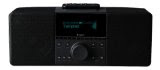
Logitech Squeezebox Radio – Small Package, Big Sound
The Internet has changed everything, including your radio. With the Logitech Squeezebox Radio, you’ll get the simplicity of old-fashioned radio with the power of the Internet wherever you want to listen to music.


Unlike other complex Wi-Fi music systems, Squeezebox Radio sets up easily. You just plug it in, turn it on, connect to your home network and like magic, you’ve got access to a world of music – Internet radio, your personal music collection including DRM-free iTunes Plus downloads, and subscription services such as Last.fm™, Napster and Deezer. And the Squeezebox Radio’s colour screen can display album art, track and station information, visualisers and more.

With six preset buttons located on the side of display, at the touch of a button the Squeezebox Radio makes it easy to enjoy your favourite song, Internet radio station or playlist. With automatic brightness adjustment and a built-in alarm clock, the Logitech Squeezebox Radio is even ideal for your bedside table. And if you want to listen to music in private, a 3.5 mm jack lets you plug in your headphones.

At just 5.12 inches (130 mm) by 8.66 inches (220 mm) by 5.04 inches (8.5 cm), the compact design makes the Squeezebox Radio ideal for your living room, kitchen, bedroom – even your patio. While it’s a space-saver, the Squeezebox Radio still delivers clear sound with minimal distortion – no extra speakers required – thanks to the 3/4-inch high-definition, soft-dome tweeter and 3-inch high-power, long-throw woofer.

For your convenience, a rechargeable battery pack (sold separately) lets you move the Squeezebox Radio around your home without interrupting the music. The battery can power your Squeezebox Radio for up to six hours and recharges automatically when it’s plugged in.

Logitech Squeezebox Touch – Colour Touch Screen Puts Music at Your Fingertips
So you can seamlessly discover a world of music and play it through the existing stereo system you already own, the Logitech Squeezebox Touch Wi-Fi music player has a stunning 4.3-inch colour touch screen that lets you easily select and play music as well as view album art. Plus, to provide a better listening experience, the Squeezebox Touch supports sampling rates of up to 24 bits at 96 kHz, delivering rich sound with very little distortion. Simply plug in the Squeezebox Touch to your existing speakers, connect to your home network and you are ready to rock out. An included USB port and SD card slot on the back of the Squeezebox Touch also lets you access music and photos stored on flash drives and memory cards.


Streamlined Interface, Facebook App and Flickr Support
The intuitive Squeezebox interface was designed for speed and convenience. The Squeezebox Radio and Squeezebox Touch colour displays help you quickly locate your favourite radio stations, playlists or music services or add new applications that let you enhance the music listening experience.

And if you’re a Facebook fan, you can share music recommendations, as well as check out your friends’ status, recommendations, and full-colour photos right on your new Squeezebox. Photo slide shows from the popular photo-sharing site Flickr are also supported on both new Squeezebox Wi-Fi music players.

The Squeezebox Family
Both the Logitech Squeezebox Radio and Logitech Squeezebox Touch can seamlessly integrate into your existing Wi-Fi or Ethernet-based home network, as well as with the Squeezebox family of products, which includes the award-winning Logitech Squeezebox™ Boom Wi-Fi music player, Logitech Squeezebox™ Duet Wi-Fi music player, and the audiophiles’ choice, the Logitech Transporter™ Wi-Fi music player. All of the products in the Squeezebox family work together so it is easy to expand your system. Simply add additional Squeezebox Wi-Fi media players to any room you like and then you can listen to one song throughout your entire home – perfect for a party – or enjoy different music in every room.

Pricing and Availability
The Logitech Squeezebox Radio Wi-Fi music player is expected to be available in the U.S. and Europe beginning in September for a suggested retail price of $199.99 (U.S.). For a limited time, a special edition Logitech Squeezebox Radio Wi-Fi music player will be available in red at http://www.logitech.com and select retailers. The Logitech Squeezebox Touch Wi-Fi music player is expected to be available in the U.S. and Europe beginning in December for a suggested retail price of $299.99 (U.S.). The Logitech Squeezebox Radio Accessory Pack (which includes a battery pack and IR remote) is expected to be available in the U.S. and Europe beginning in November for a suggested retail price of $49.99 (U.S.). The Logitech Squeezebox Touch Wall-Mount Bracket is expected to be available in the U.S. and Europe beginning in December for a suggested retail price of $99.99 (U.S.).


Source: Logitech Press Release

Wednesday, June 17, 2009

Logitech Releases New Streamlined Video Calling App

logitech logo

Say Hello to Vid: Logitech Introduces Simpler, Streamlined Video Calling

Logitech Vid Software Designed Exclusively for Video Calls, Sets Up With Webcam Installation

Video calls have always offered the promise of strengthening the connection between you and your distant friends and family. But for many, getting the software and hardware to work has been a challenge. If you’ve been waiting for a simpler way to make a video call, Logitech Vid is the answer – the free, fast and easy way to make true-to-life video calls with your Logitech webcam on a PC or Mac computer.

A pioneer in the development of webcams and video calling, Logitech dramatically simplifies video calling with Vid by offering a streamlined setup and a simple, intuitive interface dedicated to video calling. In fact, you can set up Vid in fewer than half the steps required by the major instant-messaging programs. Vid is available for download at www.logitech.com/Vid.

Vid can also make it easy to see your loved ones in lifelike colours. From the sparkle in your daughter’s engagement ring to the smile on your grandson’s face, Vid optimizes the speed and resolution of your video call, so you’re always getting the best-possible frame rate and resolution for your webcam.

“Video calling has been around for more than a decade, but Vid truly has the potential to make video calling one of the primary ways that people stay in touch with their loved ones,” said Gina Clark, general manager and vice president of Logitech’s Internet Communications business unit. “Vid gives you the best of both worlds – eliminating the biggest obstacles to making video calls, while still providing the exceptional-quality audio and video that you expect from Logitech. Above all, you don’t need to be tech-savvy to use Vid.”

Logitech research revealed that the overwhelming reason why many people do not make video calls is that they are frustrated by complex software. Unlike video calling through IM or VoIP programs, Vid was designed exclusively for video calling. Powered by the Logitech SightSpeed Network, Vid is a reliable source for high-quality video calling.

Sets Up With Webcam
Vid is set up automatically when you plug in your Logitech webcam. A few clicks and you’re ready to go. There are no screen names. And there’s no third-party software to download. When you’re ready to make a video call, Vid uses your friend or family member’s e-mail address to connect. Your friend simply accepts your e-mail invitation to participate in a video call on Vid, and you’re both connected and ready to chat.

Simple, Intuitive Interface
Unlike other free software that offers video calling as another hard-to-find feature in a long list of features, Vid presents a simple, intuitive interface in which every element is designed to help you make a video call. You can make a call in just a few simple steps. Each one of your contacts is represented by a thumbnail picture. You simply click the picture of the person you want to contact, and Vid starts your video call.

Vid is free with your Logitech webcam – and for anyone you’re calling. There are no added charges. If you don’t have a Logitech webcam, you can still use Vid if a friend or family member invites you. (If you’re invited by a friend or family member that has installed Vid, but doesn’t have a Logitech webcam, you’ll get Vid free for 30 days. At the end of the 30-day period, you can use Vid with the purchase of a Logitech webcam.)

Vid is compatible with PC and Mac computers, as well as stand-alone and embedded webcams.

Pricing and Availability
Logitech Vid is available for download at www.logitech.com/Vid and is free for anyone with a Logitech webcam or anyone who is invited by a Logitech webcam owner.


Source: Logitech Press Release

Wednesday, June 03, 2009

Logitech Introduces Its First Force-Feedback Flight Simulation Controller

logitech logoLogitech Flight System G940 Delivers Simulator-Grade Flying Experience, Authentic Controls, Realistic Force Feedback

To provide flight simulation enthusiasts with a realistic experience, Logitech today unveiled the Logitech Flight System G940. The latest addition to the acclaimed Logitech G-series line of gaming peripherals and the company’s first force-feedback flight simulation controller, the design and controls of the Flight System G940 were inspired by military and commercial planes and helicopters.

“There’s nothing ordinary about a G-series gaming peripheral, and the G940 is no different,” said Ruben Mookerjee, Logitech’s director of product marketing for gaming. “We approached this project with the goal of redefining the flight sim experience. Whether you’re flying an A380, an F/A-18 Hornet or a Comanche helicopter, when you want to feel the wind on your wings, control engines together or independently or master tricky maneuvers, the G940 behaves and feels like the real thing – from takeoff to landing.”

logitech g940

For an immersive experience, the three-component Logitech Flight System G940 features a force feedback joystick, dual throttle and rudder pedals. And, with more than 250 programmable button options integrated into a fully featured HOTAS (or Hands On Throttle-and-Stick) design, you’re able to access critical aircraft systems without taking your hands off the controls.

The system is also easy to set up; just connect the throttle and the pedals to the joystick cable, and plug the USB connector into your computer. And all components feature mounting hard points, making it easy to secure them to a surface. The Flight System G940 is compatible with most popular PC flight simulators, including Microsoft Flight Simulator X, IL-2 Sturmovik: 1946 and Lock On: Modern Air Combat X-Plane 9.

Force Feedback Joystick
For added realism, the Flight System G940 joystick features Logitech’s award-winning force feedback technology, which allows you to control your aircraft with confidence as you feel its movement as well as its reaction to air, turbulence and g-forces. Unlike vibration feedback or rumble technology, force feedback is directionally precise and tactile, so you get an accurate simulation of the forces experienced in the game.

g940 joystick

Featuring a two-stage metal trigger, six programmable buttons, mini-stick, 8-way hat and three analog trim controls, the Flight System G940 joystick is designed to put you in complete control of your aircraft. And to ensure comfort during long flights, the joystick has a wide, solid base, a palm rest, a slight forward tilt of the stick and soft touch surface.

Programmable Dual Throttle
To give you realistic control over any aircraft, the Flight System G940 features a split throttle design, for easy control of multi-engine aircraft. When flying a single engine aircraft, a push-button interlocks the throttles for a more comfortable experience.

g940 throttle

The interactive, programmable throttle-base buttons integrate with your favorite flight simulation software and illuminate red, green, amber or off to indicate the status of critical aircraft systems – just like they would in a real cockpit. For your convenience, Logitech includes 80 pre-designed legend inserts that slip into the buttons, making it easy to create an authentic switch panel with, for example, GPS, autopilot and landing-gear controls.

In addition to the eight programmable base-buttons, the Flight System G940 provides two eight-way hat switches, four programmable grip buttons and two rotary analog-controls. The included Logitech Gaming Software allows you to assign virtually every possible control to the G940 in just a few steps.

Authentic Pedals
The pedals – the four-bar mechanism, inspired by the designs of current jet fighters – feature an open frame design with rudder controls and toe brakes, giving you true-to-life control, especially when performing defensive maneuvers or crosswind landings, or piloting helicopters. An adjustable pedal-force knob lets you change the resistance to fit your flying style. And for added comfort, the pedal base has carpet grips and heel rests to keep the pedals and your feet in place even during the most difficult maneuvers.

g940 pedals

Pricing and Availability
The Logitech Flight System G940 is expected to be available in the U.S. and Europe in September for a suggested retail price of $299.99 (U.S.)

Source: Logitech Press Release

Monday, January 12, 2009

Logitech Pulls In Awards At CES

logitech logoLast week Logitech took home seven CES innovation awards for excellence in design and engineering. Among the products winning awards were the Logitech G13 advanced gameboard, which won the Best of Electronic Gaming award, and the Harmony 1100 advanced universal remote, which won the Best of Home-Theater Accessories award.

Logitech’s award-winning products for 2009 include:

Best of Innovations in Home Entertainment Accessories:

Logitech Harmony 1100 Advanced Universal Remote
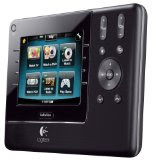
Winner of the CES 2009 Design and Engineering Award: Best of Innovations in Home-Entertainment Accessories, the Logitech Harmony 1100 advanced universal remote delivers powerful home-entertainment control through a customizable, 3.5-inch full-color touch screen. Logitech’s newest remote provides a touch-screen interface that lets you put the commands you want, where you want them.


With its fully redesigned software, the 3.5-inch touch-sensitive screen – which features QVGA resolution – gives you a brilliant base from which to control your system. Using the new Harmony software, you can select the commands you use most and put those features on the screen. If you love to watch movies, for example, and are always using the Play and Pause buttons, you can tell the Harmony 1100 to make those commands immediately available on the screen once you start your movie.

Best of Innovations in Electronic Gaming:

Logitech G13 Advanced Gameboard
Winner of the CES 2009 Design and Engineering Award: Best of Innovations in Electronic Gaming, the Logitech G13 advanced gameboard is a hybrid gaming keyboard designed to complement your Logitech keyboard and mouse – giving you game-changing comfort and control on a Mac computer or a PC. With its sculpted, ergonomically inspired shape and pushing-the-envelope functionality, the Logitech G13 advanced gameboard completes your search for gear, augmenting a Logitech G15 keyboard for gaming and a Logitech G9 Laser Mouse.


Delivering increased comfort, the iconic contoured design complements the natural shape of your hand and fingers, while the smooth, concave home-row keys make it easy to locate buttons by touch. With three game modes, 25 programmable keys and a programmable analog stick, the G13 gameboard offers up to 87 ways for you to control your game (software installation required). And you can set up custom button-profiles for each one of your favorite titles. You can even create macros on the fly without having to pause your game.

Honoree in Electronic Gaming:

Logitech G35 Headset
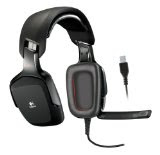
For game-changing immersion, the Logitech G35 headset is the first Logitech headset to offer 7.1 surround sound – a perfect complement to the growing number of action games and high-definition movies that support 7.1-channel surround sound. Powered by second-generation Dolby Headphone technology, the G35 headset simulates the complex acoustics of a listening room, creating a detailed, outside-the-head sound field. Plus, with its proprietary ear-enclosing design, the G35 headset greatly reduces ambient noise from interfering with your entertainment, while an adjustable, noise-canceling microphone focuses on your voice and reduces background noise.


Honoree in Electronic Gaming:
Logitech Driving Force GT
The Logitech Driving Force GT racing wheel – the official wheel of Gran Turismo – features powerful force feedback and an innovative 24-position realtime adjustment dial for on-the-fly control of brake bias, traction and damper settings, the Logitech Driving Force GT gives gamers the most accurate and authentic PLAYSTATION 3 (PS3) racing experience.


The Driving Force GT racing wheel was meticulously designed by Logitech and Polyphony Digital, Inc., the developer of the Gran Turismo series. The companies worked together to add the unique realtime adjustment dial, a first for force feedback wheels, allowing people to fine tune the car’s balance by adjusting the brake bias, traction control and damper settings.


Honoree in Audio Components:

Logitech Squeezebox Boom
The Logitech Squeezebox Boom is Logitech’s first all-in-one network music player, featuring an integrated amplifier, high-performance speakers and a simplified setup. With the Logitech Squeezebox Boom player, you can listen to your digital music in the kitchen, the bedroom or any other room in your home – without needing to attach external speakers. Just plug the new Logitech network music player into a power outlet – there are no additional wires to connect. Then, using your existing home network, you can listen to the music you love from the personal collection on your computer, your favorite Internet radio stations, and subscription services such as Rhapsody, Last.FM, Slacker, Pandora and Sirius – even when the computer is off.


Honoree in Computer Peripherals:

Logitech Z-5 Speakers
Unlike standard PC speakers that focus sound in one direction, the Logitech Z-5 speakers use omnidirectional acoustics that create a substantially wider sweet spot – an especially helpful feature if you often move your laptop around your home or office. An innovative speaker technology previously found only in expensive home-theater systems, omnidirectional acoustics on the Logitech Z-5 speakers use forward- and backward-firing drivers to transmit sound evenly in all directions. Whether you’re listening to your favorite song or watching a video on YouTube, you’ll enjoy rich, articulate sound and minimal distortion – from every corner of your room.


Honoree in Computer Peripherals:

Logitech Illuminated Keyboard
The Logitech Illuminated Keyboard makes typing easy – even in the dark. To optimize existing backlight technology, Logitech combined microlens reflectors, a multilayer painting process and laser etching – creating a backlight experience that is brighter, sharper and easier to read. Whether you're typing an e-mail or chatting with a friend, the adjustable backlight gives you just the right amount of light.


With its transparent frame, the ultra-thin Illuminated Keyboard (.37 inches or 9.3 mm from base to frame) adds an elegant touch to any desk. Balancing form and function, the keyboard offers a full-size key layout (including a number pad), soft-touch palm rest and a full row of F-keys, as well as media- and volume-control keys for instant command of your entertainment.

Source: Logitch Press Release